
Introduction
A Digital Signature Certificate (DSC) is an important requirement for GST registration and GST return filing. It serves as a secure digital replacement for a physical signature, verifying the authenticity of all documents submitted on the GST portal. Using a DSC helps businesses complete their filings faster, ensures data security, and builds trust in online transactions. This guide covers how to use a DSC for GST filing and registration, including the steps, setup, and key requirements.
Importance of DSC for Online GST Registration and Filing
Businesses registered under GST, in particular companies and limited liability partnerships, must have a Digital Signature Certificate (DSC). It ensures that all returns and documents submitted through the GST portal are securely verified and legally valid.
DSC key benefits:
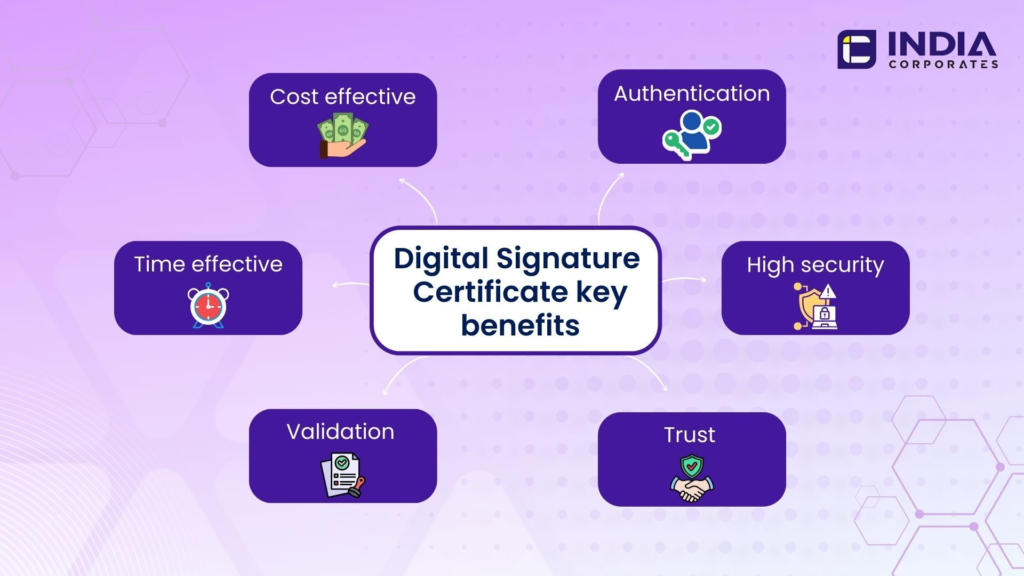
- Legal Authenticity: The government legally recognises documents signed with a DSC, making your filings official and invisible.
- Security: Protecting your online transactions prevents unauthorised access to your data.
- Faster Processing: Digital signatures speed up the GST registration or return filing process by improving verification.
- Professional Credibility: Digitally signed documents show professionalism and the ability to meet requirements.
Access and Requirements
Before you start using a Digital Signature Certificate (DSC) for GST registration or filing, make sure these things are ready:
- Valid DSC: A Class 3 DSC registered in your name or business name must be active.
- Matching Details: Your DSC’s name and PAN should match the information on your GST account.
- Computer Setup: Make sure your computer can properly detect your DSC device (USB token).
- Authorised User: Only the person whose name is on the DSC can use it for GST-related work.
Types and Elements of Digital Signature Certificates
There are various types of Digital Signature Certificates (DSCs) depending on who needs them and how they are used. Here is a quick summary:
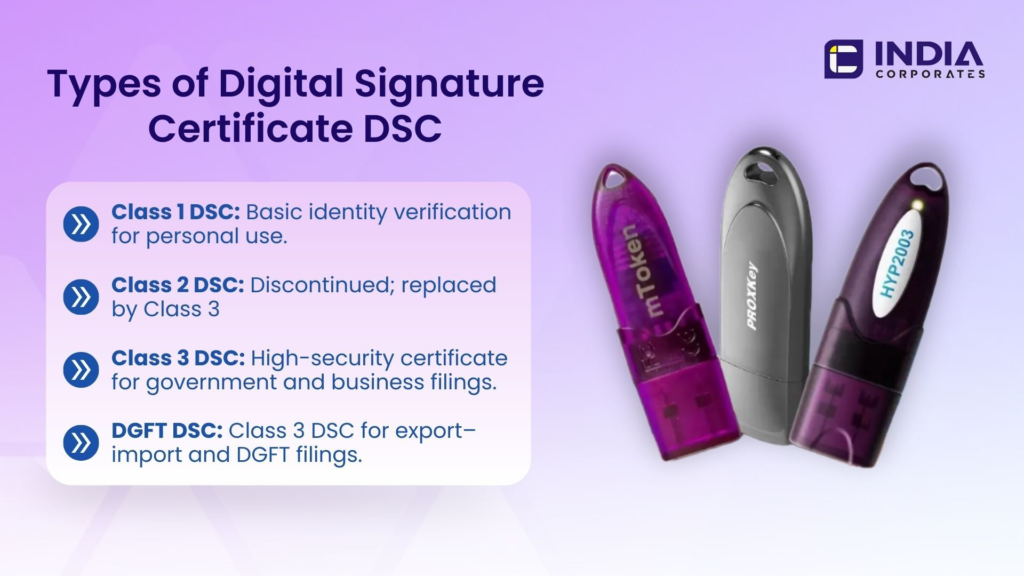
Types of DSC:
- Class 1 DSC: Used for individuals to confirm their name and email ID. It’s mostly for personal or low-risk use.
- Class 2 DSC: Earlier used for filing income tax and GST, but now replaced by Class 3.
- Class 3 DSC: The most secure type. It’s used for GST filing, company registration, e-tendering, and other government-related activities.
- DGFT is a specialised Class 3 DSC used by businesses registered with the Directorate General of Foreign Trade to securely file license applications, make online transactions, and manage export–import documents.
Main Elements of a DSC:
- User’s Name: The name of the person or organisation.
- Serial Number: A unique number that identifies your DSC.
- Public Key: Used to verify your digital signature.
- Validity Period: Usually valid for 1 to 2 years and can be renewed.
- Certifying Authority Details: The name of the authority that issued the DSC.
Apply for Digital Signature Certificate
Step 1: Visit Our DSC Page
Go to indiacorporates.com/services/dsc and choose the type of DSC you require (Class 3 or DGFT), depending on your business or GST needs.
Step 2: Fill Out the Application Form
Provide basic information such as your name, PAN, email address, phone number, and business type. As directed, upload the necessary identification and proof of address.
Step 3: Complete e-KYC and Verification
To make sure that your DSC is legally validated and approved by a licensed Certifying Authority, your identity will be confirmed through online e-KYC using Aadhaar or video verification.
Step 4: Download and Install the DSC
After acceptance, your DSC will be sent to you in a downloadable or secure USB token format. To install it on your system, simply follow IndiaCorporates installation instructions.
Step 5: Activate and Test Your DSC
To enable digital signing, install the suggested signing tool from IndiaCorporates. Before using your DSC for GST filing or other online verifications, make sure it is functioning correctly by testing it after installation.
Step 6: Use Your DSC for GST Filing
Your DSC will be available for use for GST registration, filing returns, and other government portal verifications once it has been activated.
Using DSC for GST Filing
Once your Digital Signature Certificate (DSC) is registered and activated, you can easily and securely file your GST returns through IndiaCorporates. Here’s how the process works:
Step 1: Prepare Your GST Return
Collect and enter all necessary details such as sales, purchases, and tax amounts. Review everything carefully before submission.
Step 2: Choose DSC for Signing
When you’re ready to file, select the option to sign your return using your registered Digital Signature Certificate.
Step 3: Enable the Signing Utility
In order for your DSC to be recognised and used for authentication, make sure the signing tool that IndiaCorporates has provided is installed on your computer.
Step 4: Select and Apply Your Certificate
Choose your active DSC from the available list, enter your secure PIN, and proceed to sign.
Step 5: Confirmation
Once the DSC is verified, your GST return will be digitally signed and successfully filed. You’ll receive a confirmation and acknowledgement for your records.
Benefits of Using a DSC
- Secure and Reliable:
A DSC protects against fraud and unwanted access to your data. Only the authorised user can sign and submit documents. - Legally Valid:
Since digital signatures are legally recognised in India, government agencies are permitted to accept documents signed with a DSC. - Saves Time:
You can sign and submit documents online instantly, without printing or physically signing papers. - Easy Verification:
It helps in quick verification of your identity, making the process smoother and faster. - Builds Trust:
Using a DSC shows that your business follows secure and professional practices, building trust with clients and authorities. - Paperless Process:
By doing everything online, you can cut down on paperwork and keep your workflow neat and digital.
How to Use a Digital Signature Certificate for GST Registration
The GST registration process is made mostly paperless, faster, and more secure by using a Digital Signature Certificate (DSC). It makes sure that the GST authorities will accept and legally verify your application.
Steps:
- Go to our indiacorporates.com/services/gst and fill out the online form with your name, email, mobile number, and state.
- Upload the required documents (PAN, Aadhaar, business address proof, bank details).
- Your GST registration form can be digitally verified with the help of your Digital Signature Certificate (DSC). The IndiaCorporates team makes sure a quick and secure registration process by securely submitting your GST application online after verification.
- Once approved, you’ll receive your GST number and certificate for download.
Renewal of Digital Signature Certificate (DSC)
Usually, the validity period for a Digital Signature Certificate (DSC) is one or two years. It’s important to renew it on time because once it expires, you won’t be able to use it for online government tasks like company registration, GST filing, or anything else.
Here’s how you can renew your DSC in simple steps:
- Check Expiry Date:
Look at your DSC details to find the expiry date. It’s usually mentioned in the certificate information or shown when you plug in your USB token. - Apply for Renewal:
When the expiry date is near, you can apply for renewal on the website of your original provider or through an official, authorised certifying authority. - Verify Your Details:
Make sure your name, PAN, email ID, and mobile number are the same as before. If any information has changed, you may need to update it before renewing. - Complete eKYC or Verification:
You’ll need to confirm your identity once more; depending on the procedure, this can be done via video verification, Aadhaar, or OTP. - Download the New Certificate:
The updated DSC file will be sent to you after your renewal is accepted. Activate it on your token device so it takes the place of the previous one. - Use the Updated DSC:
After renewal, you can use your DSC for GST filing, MCA forms, income tax e-filing, or other digital services as before.
How to Use a Digital Signature Certificate to Sign a Document
You can sign digital documents securely and lawfully with the help of a Digital Signature Certificate (DSC). It verifies your identity and makes sure the file hasn’t been updated because you signed it.
- Plug in Your DSC Token:
Attach your DSC USB token to your PC. Give it some time to be received. - Log in to the Official Website:
Enter your login information and proceed to the approved portal (for example, indiacorporate.com - Choose the Document You Want to Sign:
Select the form or document that you want to sign, which may be related to company filing, GST, or any other business form. - Select ‘Sign with DSC’ Option:
There are options such as “Attach Digital Signature” and “Sign Using DSC.” Press it. - Pick Your Certificate:
There will be a list of available DSCs. Select your certificate (your name and PAN will appear) and make sure it is correct. - Enter the Token PIN:
To complete the signing process, enter your DSC token’s PIN or password when requested. - Download or Submit the Signed Document:
After signing successfully, you’re able to download the digitally signed file, or, if the website allows it, you can submit directly.
Key Differences Between DSC and Digital Signature
| Digital Signature Certificate | Digital Signature | |
| Meaning | The digital ID that verifies your identity is called a Digital Signature Certificate (DSC). The permission to sign digitally is just like your signature card. | A Digital Signature is like your electronic signature; It’s a safe and secure method of signing documents online. |
| Purpose | The DSC is used to verify your identity before you can create that signature. | The Digital Signature is used to sign files or forms that are on websites. |
| Form | The DSC is a file or token that is stored on your USB device or computer. | Once you sign, the digital signature becomes a part of the document’s data, but it is invisible. |
| Issuance | A DSC is issued by an authorised certifying authority after verifying your identity. | A Digital Signature is generated when you use your DSC to sign. |
| Validity | The DSC usually has a validity of 1 or 2 years and must be renewed when it expires. | The Digital Signature works only as long as your DSC is valid. |
Important Considerations
- Always make sure your DSC is valid before starting the GST filing or registration process.
- Use the same PAN and details in both your DSC and GST profiles.
- Keep your DSC token secure and don’t share the password.
- Use a supported browser to avoid technical issues while signing.
- Renew your DSC on time to prevent filing errors.
Conclusion: Simplifying GST Compliance with Your Digital Signature Certificate
A Digital Signature Certificate (DSC) helps speed, security, and trustworthiness of online GST registration and filing. It makes sure that all of your information and forms on the GST portal are verified, secure, and approved by the government, which helps your company in maintaining compliance with all regulations.
Businesses can make sure their filings are correct, save time, and avoid paperwork by using a valid DSC. Also, it improves trust because each signed document shows the individual’s or the company’s confirmed identity. This makes online tax filing smoother and more reliable for everyone.
In short, any company going digital would use a DSC for GST filing and registration. It enables you to handle your tax procedures with confidence and effectiveness by introducing convenience, security, and legal trust.

No comments yet